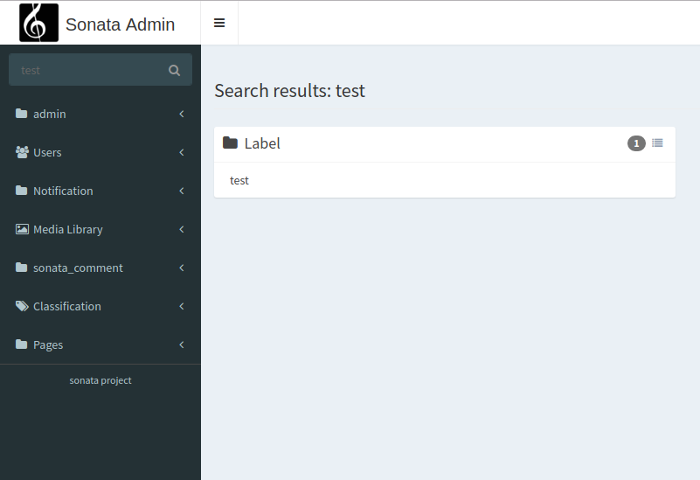
5. Search
The admin comes with a basic global search available in the upper navigation menu. The search iterates over
admin classes and looks for filters implementing the Sonata\AdminBundle\Search\SearchableFilterInterface interface with
the method isSearchEnabled() returning true. If you are using SonataDoctrineORMBundle, the
Sonata\DoctrineORMAdminBundle\Filter\StringFilter filter is searchable and relies on a global_search option.
5.1. Disabling the search by admin
You can disable the search for a whole admin by setting the global_search attribute
to false at your admin definition using the tag sonata.admin.
- XML
1
2
3
4
5
6
<service id="app.admin.post" class="App\Admin\PostAdmin">
    <tag name="sonata.admin" global_search="false" manager_type="orm" group="Content" label="Post"/>
    <argument/>
    <argument>App\Entity\Post</argument>
    <argument/>
</service>
5.2. Customization
The main action is using the template @SonataAdmin/Core/search.html.twig. And each search is handled by a
block, the template for the block is @SonataAdmin/Block/block_search_result.html.twig.
The default template values can be configured in the configuration section
- YAML
1
2
3
4
5
6
7
# config/packages/sonata_admin.yaml

sonata_admin:
    templates:
        # other configuration options
        search:              '@SonataAdmin/Core/search.html.twig'
        search_result_block: '@SonataAdmin/Block/block_search_result.html.twig'
You also need to configure the block in the sonata block config
- YAML
1
2
3
4
5
6
# config/packages/sonata_admin.yaml

sonata_block:
    blocks:
        sonata.admin.block.search_result:
            contexts: [admin]
You can also configure the block template per admin while defining the admin:
- XML
 1
 2
 3
 4
 5
 6
 7
 8
 9
10
<service id="app.admin.post" class="App\Admin\PostAdmin">
      <tag name="sonata.admin" manager_type="orm" group="Content" label="Post"/>
      <argument/>
      <argument>App\Entity\Post</argument>
      <argument/>
      <call method="setTemplate">
          <argument>search_result_block</argument>
          <argument>@SonataPost/Block/block_search_result.html.twig</argument>
      </call>
  </service>
5.2.1. Configure the default search result action
In general the search result generates a link to the edit action of an item or is using the show action, if the edit
route is disabled or you haven’t the required permission. You can change this behavior by overriding the
searchResultActions property. The defined action list will we checked successive until a route with the required
permissions exists. If no route is found, the item will be displayed as a text:
// src/Admin/PersonAdmin.php

final class PersonAdmin extends AbstractAdmin
{
    protected $searchResultActions = ['edit', 'show'];
}
5.3. Performance
The current implementation can be expensive if you have a lot of entities as the resulting query does a LIKE %query% OR LIKE %query%…
Note
There is a work in progress to use an async JavaScript solution to better load data from the database.
5.4. Customize visibility of empty result boxes
By default all the admin boxes are shown in search results and it looks like this:
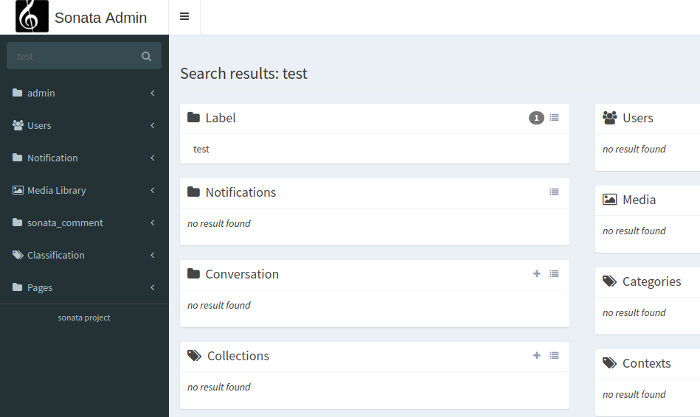
We can fade out the boxes that have no results with:
1 2 3 4 5 | # config/packages/sonata_admin.yaml
sonata_admin:
global_search:
empty_boxes: fade
|
and it looks like this:
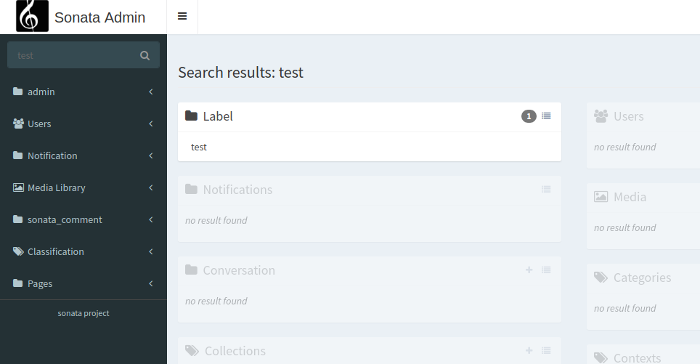
The third option is to hide the empty boxes:
1 2 3 4 5 | # config/packages/sonata_admin.yaml
sonata_admin:
global_search:
empty_boxes: hide
|
and it looks like this: